Coloring tips: How to color Minecraft Creeper Portrait Simple coloring page well?
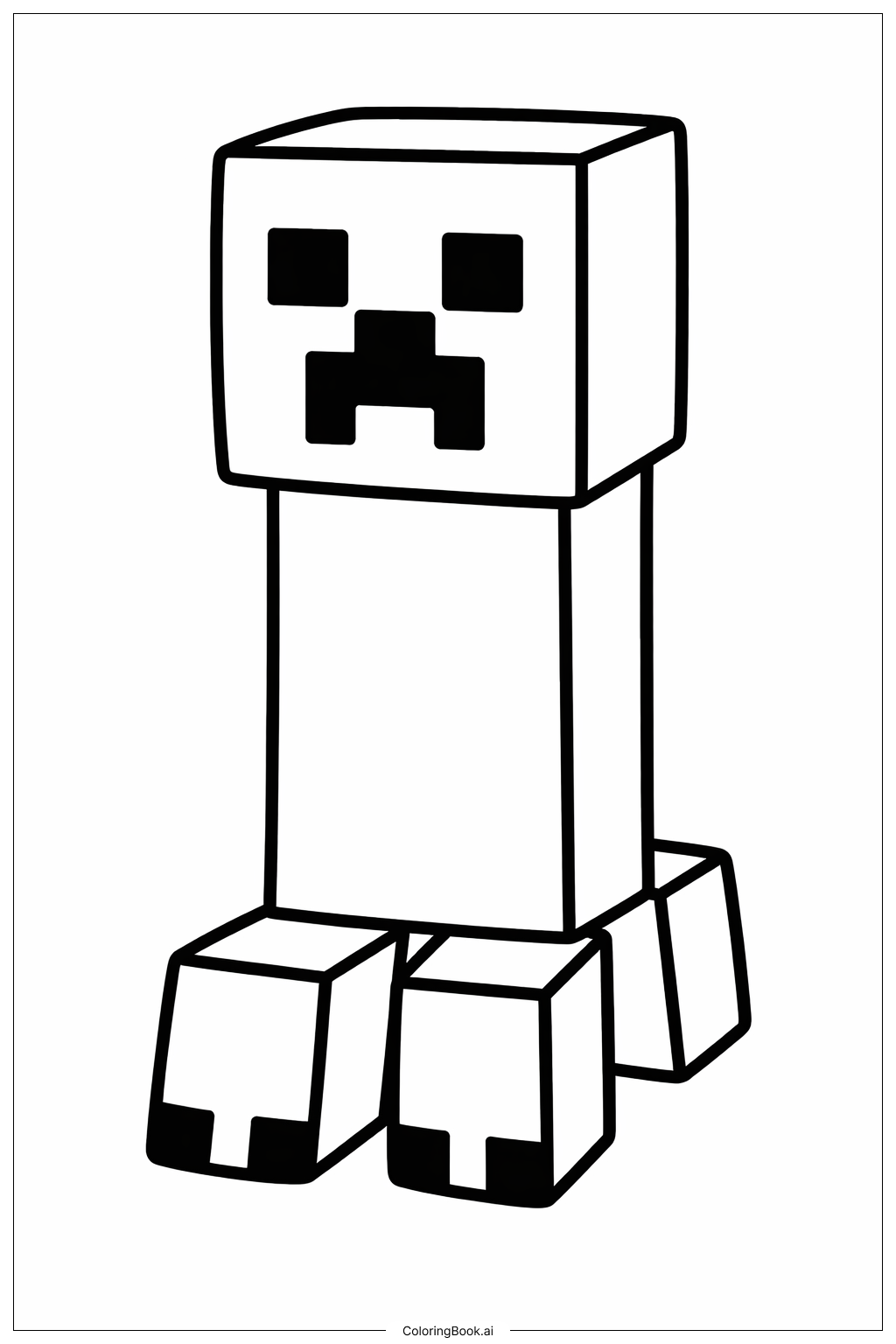
Start with the main face. Use a medium green for most of the Creeper's head. Minecraft Creepers are known for their green skin, so shades like lime green or forest green both work great. Use a darker green for the pixel spots that give the face its mottled, textured look. For the eyes, fill them in with a deep black or very dark gray. The mouth area can also be colored black or dark gray to keep that creepy, hollow look. If you want to make it more fun, try adding lighter green highlights on some of the face blocks to give it a 3D feel. You can even use a bright neon green for a glowing effect. Keep your coloring inside the bold lines and take your time with the small pixel squares around the face. There are no right or wrong color choices — feel free to get creative and make your Creeper unique!
Coloring challenges: Which parts are difficult to color and need attention for Minecraft Creeper Portrait Simple coloring page?
• Staying Inside the Pixel Blocks: The Creeper's face is made up of many small square shapes that represent individual pixels. Coloring neatly inside each tiny block without going over the lines can be tricky, especially for younger children. Using a thin-tipped colored pencil or fine marker will help keep things tidy.
• Achieving Consistent Green Shading: The Creeper's skin uses multiple shades of green to create that mottled, patchy texture. Deciding which blocks get a lighter green and which get a darker green takes planning. If the shading is random, the face may not look balanced. Try sketching out a rough plan before you start coloring.
• Making the Eyes and Mouth Stand Out: The hollow eyes and jagged mouth are what give the Creeper its signature scary look. These areas need to be filled with deep, solid black or dark gray. Applying enough pressure to get a true dark tone without smudging nearby green areas requires a steady hand and patience.
• Keeping the Overall Look Balanced: Because the portrait is mostly one color — green — it can be easy for the finished result to look flat or uninteresting. Adding subtle contrast between the highlight and shadow blocks on the face helps create depth. Planning your light source direction ahead of time makes this step easier.
• Handling the Border and Background: If the coloring page includes a background or border area, deciding what color to use there is another challenge. A neutral gray or light blue can complement the green face well without distracting from the main subject.
Benefits of coloring books: Advantages of drawing Minecraft Creeper Portrait Simple coloring page
Coloring this Minecraft Creeper portrait is a fantastic activity for kids and fans of the game. It helps build fine motor skills as children carefully fill in all those small pixel squares. Staying inside the lines takes focus and patience, which strengthens concentration over time. Because the design is based on a familiar and beloved video game character, kids feel excited and motivated to finish the page. This makes it a great way to turn screen time enthusiasm into hands-on creative activity. Choosing the right shades of green and planning out the darker pixel spots encourages color theory thinking and creative decision-making. Younger children can enjoy the simple bold shapes, while older kids can challenge themselves with detailed shading and highlighting techniques. Completing the portrait also gives a real sense of accomplishment and pride. It is a relaxing and screen-free way to unwind after a busy day. Whether coloring alone or with friends, this page brings the world of Minecraft to life in a fun, artistic way that anyone can enjoy.